A beautiful reading instrument for Japanese lyrics.
Not another study app.
Paste in any Japanese lyrics, tap a word for its reading and kanji breakdown, and take what you learn straight into Anki. Fully offline, no account.
Fully offline, no account
Reading-first, not flashcards-first
Exports into Anki, doesn’t reinvent SRS
Free, open releases on GitHub
Everything here serves the reading.
Five things the app does. Each one exists to keep you inside the song instead of inside a study queue.
01
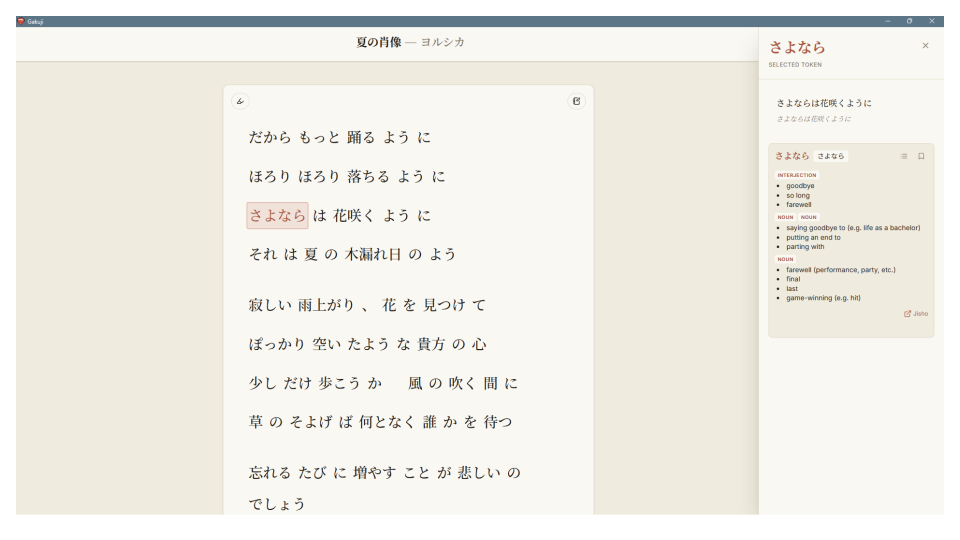
Tap a word for its full reading and kanji breakdown
You just tried it above. Click any word in a line and the sidebar fills in with its reading, its part of speech, and its meaning — plus every kanji inside it explained on its own, on’yomi and kun’yomi included. Click the next word and the panel simply updates; there is nothing to close and nothing to dismiss.
02
Bookmark words and kanji into named lists
When a word is worth keeping, save it without leaving the line you are on. Words and kanji are bookmarked separately, and both go into lists you name yourself — by song, by album, by whatever you are working through this month. Nothing gets filed away for you.
03
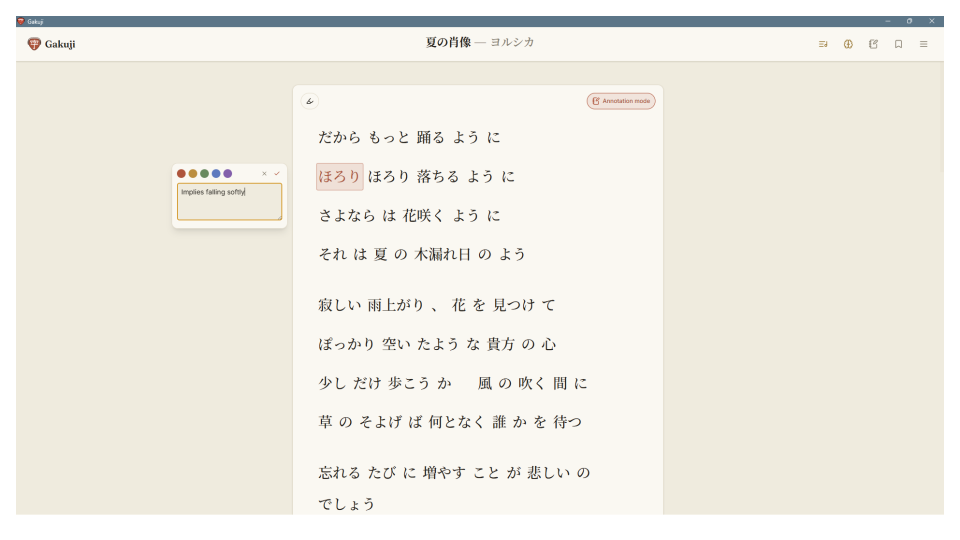
Annotate like margin notes
Switch on annotation mode, select a phrase, and write against it the way you would scribble in the margin of a poem. Five accent colors let you separate the kinds of reading you are doing — an image you want to track, a grammar point, a translation you are still unsure about. Notes stay anchored to those exact words and scoped to that song, so reopening it brings your reading back with it.
04
Filter by part of speech and JLPT difficulty
Every word Gakuji parses carries its grammatical role and its JLPT level, N5 through N1. Narrow a song down to just its verbs, or just what sits above N3, to see the shape of what you are actually reading. The same filters carry through to what you export, so the particles can stay behind.
05
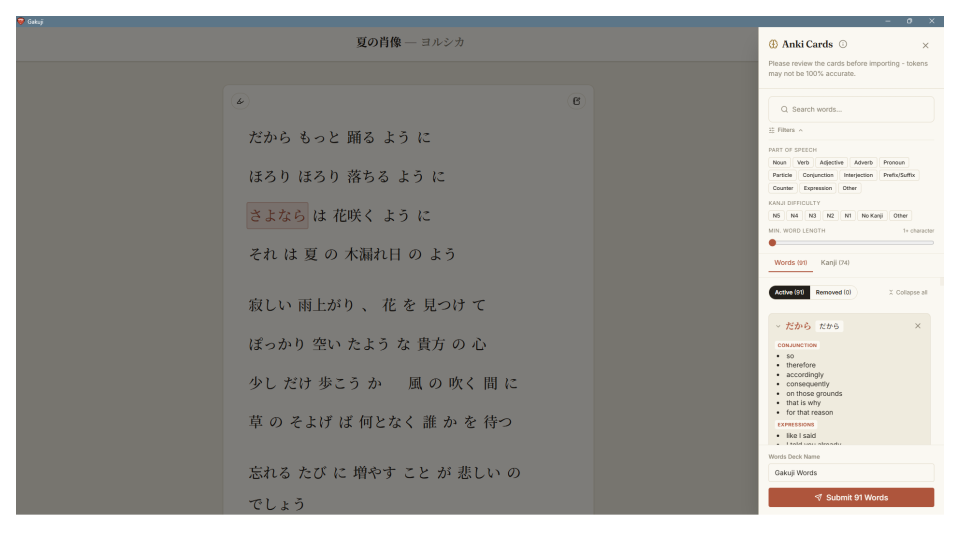
Export straight to Anki, filtered exactly the way you want
When you are ready to drill, hand the vocabulary to a tool that already drills well. Gakuji turns the words and kanji you selected into review-ready cards and sends them into Anki over AnkiConnect — name the deck, drop anything you do not want, submit. It does not try to reinvent spaced repetition; it just stops being in the way of it.
Free, and it stays on your machine.
Download it, open a song, and start reading — there is no account to make, no sync to wait on, and nothing leaves your computer.
A note before you install: these builds are not code-signed yet, so Windows and macOS may show a warning the first time you open the app. Windows and Linux update themselves in the background from there; macOS updates are not reliable without a signature, so Mac users should grab a new .dmg from this page when a version ships.
Built by one person, for one stubborn problem.
I listened to a lot of Japanese music without understanding a word of it, and every tool I tried wanted to turn that into a flashcard drill before I had even finished reading the song. So I made the thing I actually wanted: a quiet reading instrument that stays out of the way until you tap a word.
Gakuji runs entirely on your machine — no account, no sync, no telemetry — and it hands your vocabulary to Anki rather than trying to replace it. It is designed, built, and maintained by me, and the releases are free and open on GitHub.