ガクジ (Gakuji)
Learning vocabulary with lyrics.
Role
Product Designer · Full-stack Developer
Year
2024
Duration
Ongoing
Team
Just me!
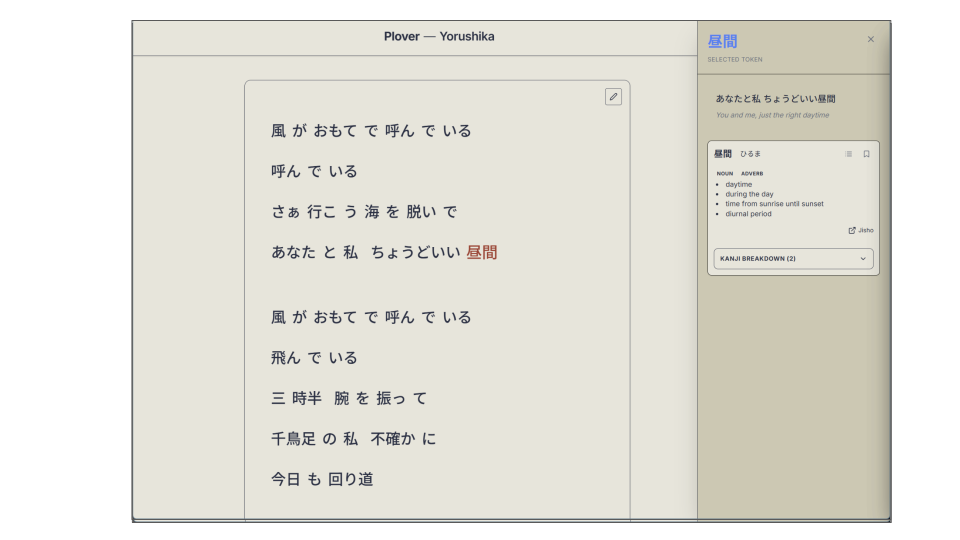
Learning a language through what you love.
I listened to a lot of Japanese music, but I never understood or processed what was being said. I wanted to truly understand the meaning of the lyrics, and in doing so, learn the language in a way that felt natural and engaging.
Objectives
- Simplify vocabulary acquisition from music.
- Absorb Kanji in context.
- Ship an intuitive, practical tool that I and other learners can use daily.
Sole creator, designer, and engineer.
Product design
Defined the target audience, designed the experience, prototyped.
Front-end
Built the desktop app in React with Electron; designed components for dense bilingual content.
Tester
Evalulated application experience with real users, gathering feedback and iterating on the design.
Decisions
Owned trade-offs between scope, polish, and learning quality at every step.
Language-learning from music is full of friction.
From my experience, the process of learning vocabulary from music was disjointed and inefficient. Everytime I wanted to understand a lyric, I had to work through several steps to get the desired definition.
Searching up the lyrics, looking up the definition, researching the Kanji, and finally storing the word in an Anki deck. Each step created friction that disrupted the learning flow and made it hard to stay engaged.
From mobile concept to desktop product.
Research
Vocabulary is hard to acquire.
The target audience for Gakuji was me - I struggled with picking up new vocabulary outside of the textbook, and I wanted to build a tool that would make that process more seamless.
Fellow learners validated this pain point, using a mixture of tools (lyric sites, dictionary applications, and Anki) to achieve a desired result.
Starting point
Gakuji started life as a mobile app.
The original look
I first envisioned Gakuji as a mobile app, with the core interaction being tapping on a word in the lyrics to reveal its definition and Kanji breakdown. The mobile design was clean and focused, but as I started using it, I realized that the form factor didn't fit the actual learning flow.
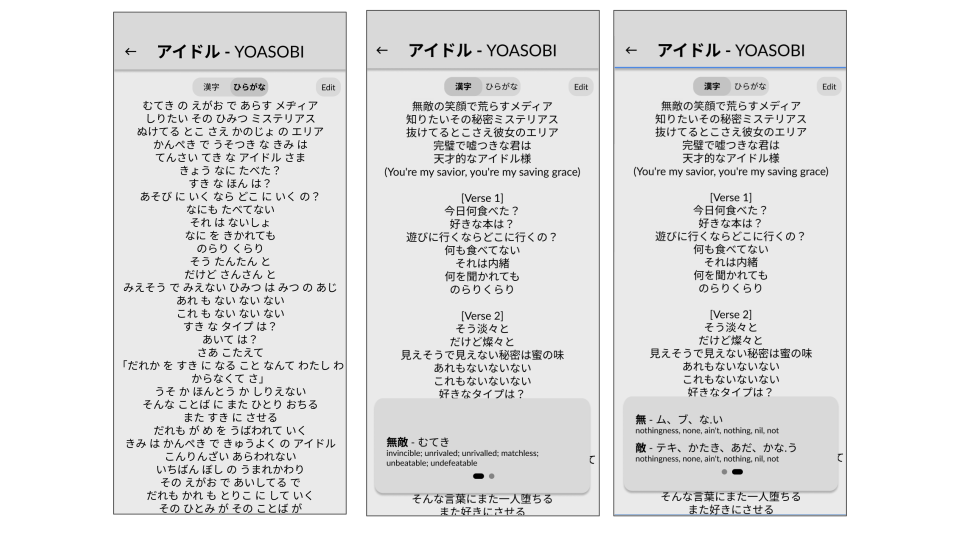
The plan to change it
Sessions were longer than typical mobile usage patterns, lyrics needed more screen real estate, and the result was an unengaging experience. I pivoted to desktop, which better fit the use case and unlocked new possibilities for the design.
Concrete changes planned
- Redesign the lyric view for wide layouts: side-by-side lyric and breakdown panels.
- Leverage the persistent screen space for a richer experience: more info density, more features, less navigation.
- Focus on lyrics, presenting text like a document rather than a mobile view.
- Include keyboard shortcuts for power users, and design with that in mind.
- Develop an Anki integration to streamline the process of adding words to review decks.
Prototyping
Building it in code, not Figma.
With new goals in mind, I decided to prototype directly in code rather than Figma. This allowed me to quickly test and iterate on the core interactions, and to explore the design possibilities of the desktop form factor without being constrained by static mockups.
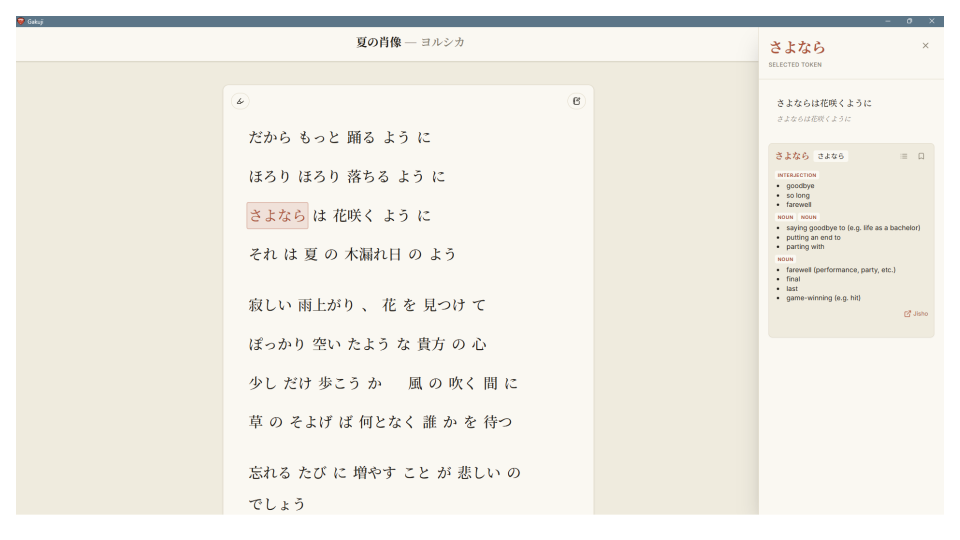
Going fully offline
A second pivot: dropping the cloud.
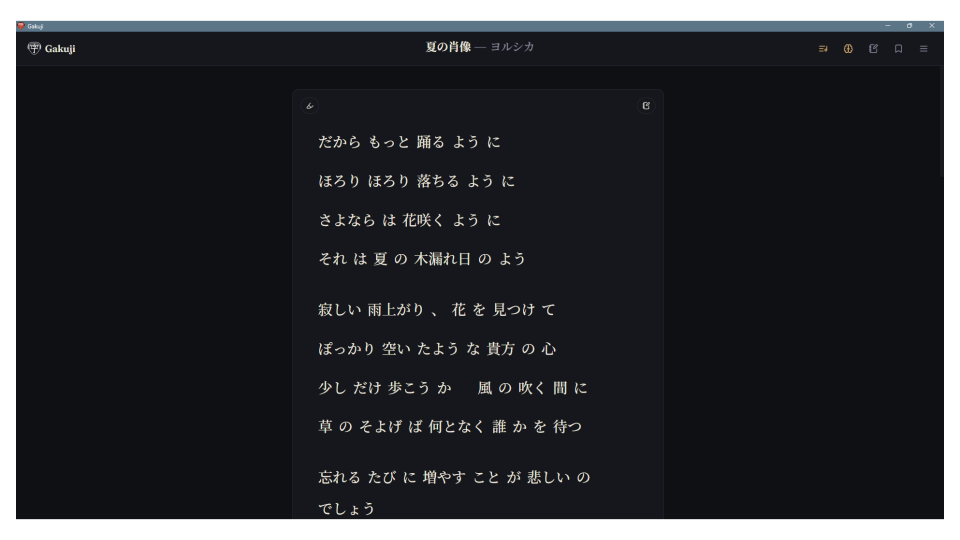
In addition, I elected to turn Gakuji into a standalone offline application, removing the need for a cloud backend. This simplified the user experience, sped up processing and application ergonomics, and allowed me to focus on the core learning experience and additional features.
Testing
Dogfooding, then handing it to other learners.
As the target audience, I was able to dogfood the app from the early stages, which provided invaluable insights into the learning flow and pain points. Once I had a functional prototype, I shared it with fellow learners to gather feedback. This testing phase provided guidance on further improvements, including UI tweaks, additional shortcuts, and gaps in the learning experience that I hadn't noticed myself.
A desktop app where lyrics teach the language.
While Gakuji continues to evolve, the current version allows learners a dedicated platform by which to acquire vocabulary. With the ability to bring in any text the user desires, Gakuji can allow learners to parse, breakdown, and closely read the text. Filters allow the user to focus on particular categories, and the export to Anki allows the user to bring their learning into their review flow. The app has been well-received by other learners, and I continue to iterate on the design and functionality based on feedback.
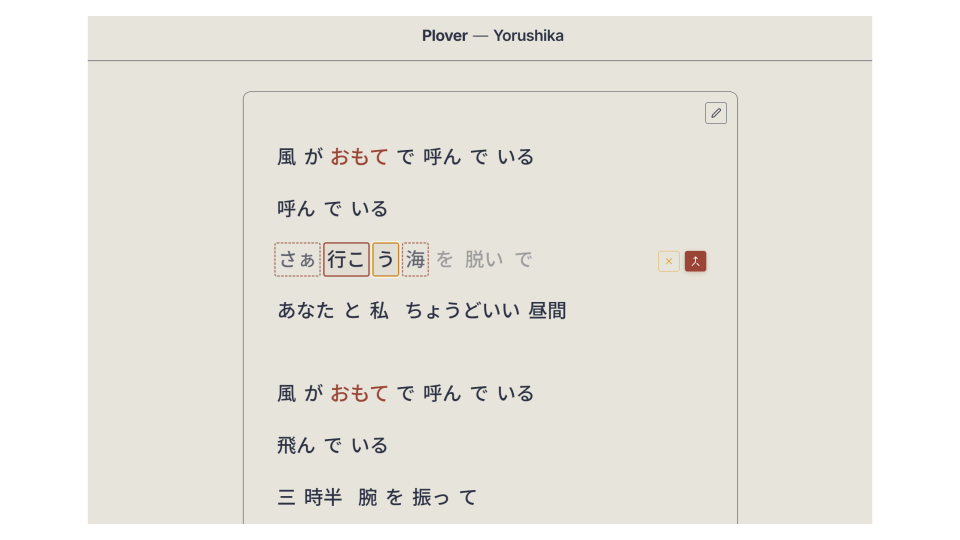
Combine mode · merging a mis-split token back into one word